2024
Motion-Triggered LED over UDP
A client and server on a Raspberry Pi that talk over a custom UDP protocol: when a motion sensor trips on the client, the server blinks an LED.
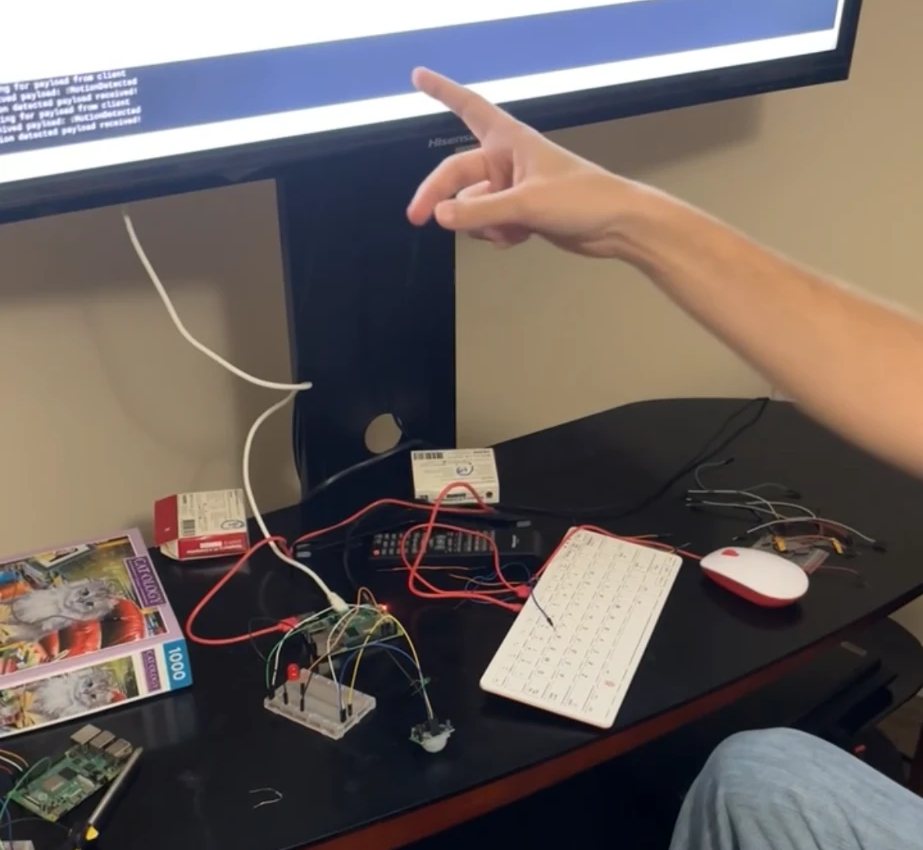
A programming assignment for Computer Networks at Tennessee Tech, built with classmate Pierce Parker. We both worked on the client and the server.
The client watches a motion sensor and the server controls an LED, each wired to the Pi's GPIO pins. The two Python programs communicate over UDP sockets using a protocol we designed: every packet starts with a 12-byte header holding a sequence number, an acknowledgement number and ACK, SYN and FIN flags, followed by a text payload.
A session opens with a three-way handshake modelled on TCP. The client then sends how many times the LED should blink and for how long, and the server acknowledges. After that, each motion event sends a message that makes the server blink the LED, and stopping the client sends a FIN so the server can close cleanly.
Both programs log every packet they send and receive with a timestamp, and we recorded the exchange in a packet capture.
Source: lightserver.py · lightclient.py
Try it
The sensor and LED can't run in a browser, so this is a walkthrough of the protocol instead. The packets, sequence numbers and flags are the ones the real programs exchange.
- Press Connect to watch the three-way handshake and the blink settings being agreed.
- Press Trigger motion to stand in for the sensor. The client sends a message and the server blinks the LED three times.
- Click any packet in the log to see its 12-byte header and payload as raw bytes.
- Press Disconnect to send the FIN that ends the session.